NXP i.MX8M-Mini 보드를 이용해서 무선 이어셋을 이용할 경우 다음과 같은 방식으로 진행할 수 있다.
최종 테스트가 끝나면 서비스에서 자동으로 실행하도록 구성하여 네트워크 무전기등을 만드는데 사용할 수 있다.
그런데, 참 리눅스에서 쓰기 힘들다.
이 간단한 것을 확인하는데 너무 많은 시간을 소비했다. 그리고 남은 내용들도 있다. 우선 확인한 내용을 하나씩 확인해보도록 하자.
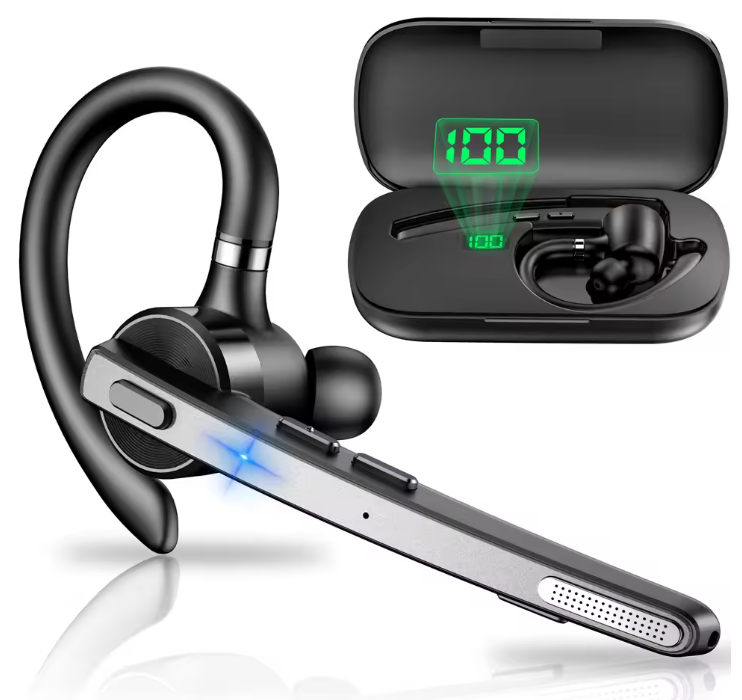
테스트를 위해서 블루투스 이에폰을 여러개 쓰다가 노이즈 처리관련 문제로 HFP를 쓰기 힘들었다. 소리가 1초 단위로 줄어드는 문제가 발생했기 때문에 말이다. 그래서 이 제품을 구매해서 테스트를 진행했다. 그런데 같이 주문한게 아직도 안왔단 말이다. 이건 주문하고 5일만에 도착했는데.. 알리... ㅜㅠ
1. 네트워크 설정
1.1. 연결설정 만들고 연결
필자가 만든 BSP는 NetworkManager를 기반으로 하고 있다. 따라서 다음의 명령을 이용하여 wifi를 이용 네트워크에 연결 가능하다. 아래의 명령을 통해 정상적으로 네트워크 연결이 완료되면 /etc/NetworkManager/system-connections 디렉터리에
MYTESTAP.nmconnection으로 파일이 생성된다. 이파일을 이용하여 재부팅하면 자동으로 네트워크에 연결된다.
root@imx:~# nmcli connection add type wifi ifname wlan0 con-name MYTESTAP autoconnect yes ssid "MYTESTAP"
root@imx:~# nmcli connection modify MYTESTAP ipv4.method manual ipv4.addresses 192.168.1.11/24 ipv4.gateway 192.168.1.1 ipv4.dns "168.126.63.1 8.8.8.8"
root@imx:~# nmcli connection up MYTESTAP --ask
QwertytrewQ1!
1.2. 연결이 안되는 경우
root@imx:~# nmcli connection modify KETITESTAP 802-11-wireless-security.key-mgmt wpa-psk 802-11-wireless-security.psk "QwertytrewQ1!"
root@imx:~# nmcli connection up KETITESTAP
1.3. 업데이트를 위해 유선 eth0 내리기
root@imx:~# ifconfig eth0 down
1.4. 업데이트 및 업그레이드
root@imx:~# sudo apt update
sudo: unable to resolve host imx: Name or service not known
Get:1 file:/var/lib/local-apt-repository ./ InRelease
Ign:1 file:/var/lib/local-apt-repository ./ InRelease
Get:2 file:/var/lib/local-apt-repository ./ Release [1,279 B]
Get:2 file:/var/lib/local-apt-repository ./ Release [1,279 B]
Get:3 file:/var/lib/local-apt-repository ./ Release.gpg
Ign:3 file:/var/lib/local-apt-repository ./ Release.gpg
Get:4 http://deb.debian.org/debian bullseye InRelease [75.1 kB]
Get:5 http://deb.debian.org/debian bullseye/non-free Sources [81.0 kB]
Get:6 http://deb.debian.org/debian bullseye/main Sources [8,500 kB]
Get:7 http://deb.debian.org/debian bullseye/contrib Sources [43.2 kB]
Get:8 http://deb.debian.org/debian bullseye/main arm64 Packages [7,955 kB]
Get:9 http://deb.debian.org/debian bullseye/main Translation-en [6,235 kB]
Get:10 http://deb.debian.org/debian bullseye/contrib arm64 Packages [40.8 kB]
Get:11 http://deb.debian.org/debian bullseye/contrib Translation-en [46.9 kB]
Get:12 http://deb.debian.org/debian bullseye/non-free arm64 Packages [72.4 kB]
Get:13 http://deb.debian.org/debian bullseye/non-free Translation-en [92.5 kB]
Fetched 23.1 MB in 11s (2,088 kB/s)
Reading package lists... Done
Building dependency tree... Done
Reading state information... Done
All packages are up to date.
root@imx:~# apt upgrade
Reading package lists... Done
Building dependency tree... Done
Reading state information... Done
Calculating upgrade... Done
0 upgraded, 0 newly installed, 0 to remove and 0 not upgraded.
1.5. 파일 패키지 설치
검증에 필요한 패키지가 있다면 설치한다. 만약 bluealsa로 변경하려면 pv등도 같이 설치해도 된다.
root@imx:~# apt install file
Reading package lists... Done
Building dependency tree... Done
Reading state information... Done
The following additional packages will be installed:
libmagic-mgc libmagic1
The following NEW packages will be installed:
file libmagic-mgc libmagic1
0 upgraded, 3 newly installed, 0 to remove and 0 not upgraded.
Need to get 465 kB of archives.
After this operation, 7,075 kB of additional disk space will be used.
Do you want to continue? [Y/n]
Get:1 http://deb.debian.org/debian bullseye/main arm64 libmagic-mgc arm64 1:5.39-3+deb11u1 [273 kB]
Get:2 http://deb.debian.org/debian bullseye/main arm64 libmagic1 arm64 1:5.39-3+deb11u1 [123 kB]
Get:3 http://deb.debian.org/debian bullseye/main arm64 file arm64 1:5.39-3+deb11u1 [69.2 kB]
Fetched 465 kB in 0s (961 kB/s)
Selecting previously unselected package libmagic-mgc.
(Reading database ... 34646 files and directories currently installed.)
Preparing to unpack .../libmagic-mgc_1%3a5.39-3+deb11u1_arm64.deb ...
Unpacking libmagic-mgc (1:5.39-3+deb11u1) ...
Selecting previously unselected package libmagic1:arm64.
Preparing to unpack .../libmagic1_1%3a5.39-3+deb11u1_arm64.deb ...
Unpacking libmagic1:arm64 (1:5.39-3+deb11u1) ...
Selecting previously unselected package file.
Preparing to unpack .../file_1%3a5.39-3+deb11u1_arm64.deb ...
Unpacking file (1:5.39-3+deb11u1) ...
Setting up libmagic-mgc (1:5.39-3+deb11u1) ...
Setting up libmagic1:arm64 (1:5.39-3+deb11u1) ...
Setting up file (1:5.39-3+deb11u1) ...
Processing triggers for libc-bin (2.31-13+deb11u11) ...
2. 블루투스 설정
이제 본격적으로 블루투스 핸즈셋에 연결하여 테스트를 진행해 보자.
2.1. 블루투스 입력설정
1) 블루투스 장치 켜기
root@imx:~# hciconfig hci0 up
2) 블루투스 장치 정보확인
업 러닝이 출력되어야 한다.
root@imx:~# hciconfig
hci0: Type: Primary Bus: UART
BD Address: FC:84:A7:56:7A:05 ACL MTU: 1021:7 SCO MTU: 120:6
UP RUNNING
RX bytes:1566 acl:0 sco:0 events:97 errors:0
TX bytes:1244 acl:0 sco:0 commands:96 errors:0
3) 블루투스 마이크 패스 설정
아래와 같이 마이크 패스 설정을 해주어야 핸즈셋의 마이크를 사용할 수 있다.
root@imx:~#
hcitool cmd 0x3f 0x001d 0x00
2.2. 블루투스 정보 확인
1) 운영체제 정보
root@imx:~# uname -a
Linux imx 6.6.138-lsam2 #5 SMP PREEMPT Thu Jul 2 19:59:04 KST 2026 aarch64 GNU/Linux
2) 루트파일시스템 버전정보
root@imx:~# cat /etc/os-release
PRETTY_NAME="Debian GNU/Linux 11 (bullseye)"
NAME="Debian GNU/Linux"
VERSION_ID="11"
VERSION="11 (bullseye)"
VERSION_CODENAME=bullseye
ID=debian
HOME_URL="https://www.debian.org/"
SUPPORT_URL="https://www.debian.org/support"
BUG_REPORT_URL="https://bugs.debian.org/"
3) 블루투스 데몬 정보
root@imx:~# bluetoothd -v
5.55
root@imx:~# bluetoothctl --version
bluetoothctl: 5.55
4) 블루투스 매니저 정보
root@imx:~# btmgmt info
Index list with 1 item
hci0: Primary controller
addr FC:84:A7:56:7A:05 version 13 manufacturer 37 class 0x000000
supported settings: powered connectable fast-connectable discoverable bondable link-security ssp br/edr le advertising secure-conn debug-keys privacy configuration static-addr phy-configuration
current settings: ssp br/edr le secure-conn
name imx
short name
hci0: Configuration options
supported options: public-address
missing options:
5) 블루투스 서비스 정보
root@imx:~# systemctl status bluetooth --no-pager
● bluetooth.service - Bluetooth service
Loaded: loaded (/lib/systemd/system/bluetooth.service; enabled; vendor preset: enabled)
Active: active (running) since Wed 2026-09-23 22:41:52 KST; 8min ago
Docs: man:bluetoothd(8)
Main PID: 366 (bluetoothd)
Status: "Running"
Tasks: 1 (limit: 1522)
Memory: 2.8M
CPU: 68ms
CGroup: /system.slice/bluetooth.service
└─366 /usr/libexec/bluetooth/bluetoothd
Sep 23 22:41:51 imx systemd[1]: Starting Bluetooth service...
Sep 23 22:41:52 imx bluetoothd[366]: Bluetooth daemon 5.55
Sep 23 22:41:52 imx bluetoothd[366]: Starting SDP server
Sep 23 22:41:52 imx bluetoothd[366]: src/rfkill.c:rfkill_init() Failed to open …evice
Sep 23 22:41:52 imx bluetoothd[366]: Bluetooth management interface 1.22 initialized
Sep 23 22:41:52 imx systemd[1]: Started Bluetooth service.
Sep 23 22:41:55 imx bluetoothd[366]: profiles/sap/server.c:sap_server_register(…iled.
Sep 23 22:41:55 imx bluetoothd[366]: sap-server: Operation not permitted (1)
Hint: Some lines were ellipsized, use -l to show in full.
root@imx:~#
2.3. 블루투스 설정
1) 펄스오디오 시작
필자가 만든 BSP는 BlueAlsa가 아닌 펄스오디오를 사용하므로 다음과 같이 펄스오디오를 실행시켜야한다. 0이 나오면 정상동작이다. 패키징에서, 서비스를 바로 시작할 수 있도록 작업이 필요하다.
root@imx:~# pulseaudio --start
W: [pulseaudio] main.c: This program is not intended to be run as root (unless --system is specified).
root@imx:~# pulseaudio --check
root@imx:~# echo $?
0
root@imx:~#
2) 블루투스 연결을 위해 블루투스 컨트롤을 켬
root@imx:~# bluetoothctl
Agent registered
[CHG] Controller FC:84:A7:56:7A:05 Pairable: yes
[bluetooth]# power on
[CHG] Controller FC:84:A7:56:7A:05 Class: 0x00100100
Changing power on succeeded
3) 블루투스 기능을 활성화하고, agnet 설정
[bluetooth]# agent on
Agent is already registered
[bluetooth]# default-agent
Default agent request successful
4) i.MX 블루투스 정보 확인
[bluetooth]# show
Controller FC:84:A7:56:7A:05 (public)
Name: imx
Alias: imx
Class: 0x00100100
Powered: yes
Discoverable: no
DiscoverableTimeout: 0x000000b4
Pairable: yes
UUID: A/V Remote Control (0000110e-0000-1000-8000-00805f9b34fb)
UUID: PnP Information (00001200-0000-1000-8000-00805f9b34fb)
UUID: Message Notification Se.. (00001133-0000-1000-8000-00805f9b34fb)
UUID: Phonebook Access Server (0000112f-0000-1000-8000-00805f9b34fb)
UUID: Generic Access Profile (00001800-0000-1000-8000-00805f9b34fb)
UUID: OBEX Object Push (00001105-0000-1000-8000-00805f9b34fb)
UUID: Generic Attribute Profile (00001801-0000-1000-8000-00805f9b34fb)
UUID: OBEX File Transfer (00001106-0000-1000-8000-00805f9b34fb)
UUID: Device Information (0000180a-0000-1000-8000-00805f9b34fb)
UUID: A/V Remote Control Target (0000110c-0000-1000-8000-00805f9b34fb)
UUID: Vendor specific (00005005-0000-1000-8000-0002ee000001)
UUID: IrMC Sync (00001104-0000-1000-8000-00805f9b34fb)
Modalias: usb:v1D6Bp0246d0537
Discovering: no
Roles: central
Roles: peripheral
Advertising Features:
ActiveInstances: 0x00 (0)
SupportedInstances: 0x06 (6)
SupportedIncludes: tx-power
SupportedIncludes: appearance
SupportedIncludes: local-name
SupportedSecondaryChannels: 1M
SupportedSecondaryChannels: 2M
SupportedSecondaryChannels: Coded
5) 블루투스 장비 스캔 시작
M53 블루투스 맥어드레스를 확인
[CHG] Controller FC:84:A7:56:7A:05 Powered: yes
[NEW] Device 00:02:5B:17:A7:B2 M53
[CHG] Device 00:02:5B:17:A7:B2 RSSI: -69
[CHG] Device 00:02:5B:17:A7:B2 RSSI: -60
6) 스캔을 종료
[bluetooth]# scan off
7) 페어링
[bluetooth]# pair 00:02:5B:17:A7:B2
Attempting to pair with 00:02:5B:17:A7:B2
[CHG] Device 00:02:5B:17:A7:B2 Connected: yes
[CHG] Device 00:02:5B:17:A7:B2 UUIDs: 00001101-0000-1000-8000-00805f9b34fb
[CHG] Device 00:02:5B:17:A7:B2 UUIDs: 00001108-0000-1000-8000-00805f9b34fb
[CHG] Device 00:02:5B:17:A7:B2 UUIDs: 0000110b-0000-1000-8000-00805f9b34fb
[CHG] Device 00:02:5B:17:A7:B2 UUIDs: 0000110c-0000-1000-8000-00805f9b34fb
[CHG] Device 00:02:5B:17:A7:B2 UUIDs: 0000110e-0000-1000-8000-00805f9b34fb
[CHG] Device 00:02:5B:17:A7:B2 UUIDs: 0000111e-0000-1000-8000-00805f9b34fb
[CHG] Device 00:02:5B:17:A7:B2 UUIDs: 00001200-0000-1000-8000-00805f9b34fb
[CHG] Device 00:02:5B:17:A7:B2 ServicesResolved: yes
[CHG] Device 00:02:5B:17:A7:B2 Paired: yes
Pairing successful
8) 신뢰장비 등록 및 커넥트
[bluetooth]# trust 00:02:5B:17:A7:B2
[bluetooth]# connect 00:02:5B:17:A7:B2
Attempting to connect to 00:02:5B:17:A7:B2
[CHG] Device 00:02:5B:17:A7:B2 ServicesResolved: yes
[CHG] Device 00:02:5B:17:A7:B2 Connected: yes
9) 연결된 장치정보 확인
정상적으로 커넥트 되면 다음과 같이 프롬프트가 블루투스 이름으로 변경됨. 중요한 내용은 필자가 지금 핸즈셋(핸즈프리) 프로토콜을 사용할 예정이므로 프로토콜 UUID에서 HandsFree가 출력되어야 한다.
[M53]# info
Device 00:02:5B:17:A7:B2 (public)
Name: M53
Alias: M53
Class: 0x00240404
Icon: audio-card
Paired: yes
Trusted: yes
Blocked: no
Connected: yes
LegacyPairing: no
UUID: Serial Port (00001101-0000-1000-8000-00805f9b34fb)
UUID: Headset (00001108-0000-1000-8000-00805f9b34fb)
UUID: Audio Sink (0000110b-0000-1000-8000-00805f9b34fb)
UUID: A/V Remote Control Target (0000110c-0000-1000-8000-00805f9b34fb)
UUID: A/V Remote Control (0000110e-0000-1000-8000-00805f9b34fb)
UUID: Handsfree (0000111e-0000-1000-8000-00805f9b34fb)
UUID: PnP Information (00001200-0000-1000-8000-00805f9b34fb)
Modalias: bluetooth:v000ApFFFFdFFFF
10) 블루투스 컨트롤 종료
[M53]# quit
Bluetoothctl 내부에서 실행하지 않는 경우, 아래와 같이 CLI를 이용하여 설정을 하거나
테스트 할 수 있다.
#################### CLI 명령 ############################
root@imx:~# bluetoothctl pair 00:02:5B:17:A7:B2
root@imx:~# bluetoothctl agent on
root@imx:~# bluetoothctl trust 00:02:5B:17:A7:B2
root@imx:~# bluetoothctl connect 00:02:5B:17:A7:B2
root@imx:~# bluetoothctl paired-devices
root@imx:~# bluetoothctl disconnect 00:02:5B:17:A7:B2
root@imx:~# bluetoothctl remove 00:02:5B:17:A7:B2
#######################################################
11) 블루투스 관련 모듈 확인
아래와 같이 두개의 모듈이 동작되어야 한다.
root@imx:~# pactl list modules short | grep -i bluetooth
7 module-bluetooth-policy
8 module-bluetooth-discover
root@imx:~#
12) 블루투스가 오디어 설정확인
아래의 명령에서 1번은 bluez를 이용하여 장비가 설정되어있음을 확인할 수 있ㄷ.
root@imx:~# pactl list cards short
0 alsa_card.platform-sound-wm8904 module-alsa-card.c
1 bluez_card.00_02_5B_17_A7_B2 module-bluez5-device.c
root@imx:~#
13) 블루투스 장치 프로토콜 확인
기본적으로는 A2DP로 잡혀있다. A2DP는 오디오 전용이다.
root@imx:~# pactl list cards | grep -E "Name:|Active Profile|Profile:"
Name: alsa_card.platform-sound-wm8904
Active Profile: output:stereo-fallback+input:stereo-fallback
Name: bluez_card.00_02_5B_17_A7_B2
Active Profile: a2dp_sink
root@imx:~#
좀더 상세하게 확인해보면 다음과 같다.
root@imx:~# pactl list cards | grep -A20 "Name: bluez_card.00_02_5B_17_A7_B2"
Name: bluez_card.00_02_5B_17_A7_B2
Driver: module-bluez5-device.c
Owner Module: 20
Properties:
device.description = "M53"
device.string = "00:02:5B:17:A7:B2"
device.api = "bluez"
device.class = "sound"
device.bus = "bluetooth"
device.form_factor = "headset"
bluez.path = "/org/bluez/hci0/dev_00_02_5B_17_A7_B2"
bluez.class = "0x240404"
bluez.alias = "M53"
device.icon_name = "audio-headset-bluetooth"
device.intended_roles = "phone"
Profiles:
headset_head_unit: Headset Head Unit (HSP/HFP) (sinks: 1, sources: 1, priority: 30, available: yes)
a2dp_sink: High Fidelity Playback (A2DP Sink) (sinks: 1, sources: 0, priority: 40, available: yes)
off: Off (sinks: 0, sources: 0, priority: 0, available: yes)
Active Profile: a2dp_sink
Ports:
root@imx:~#
현재 오디오 관련 링크를 보면 아래와 같은 설정으로 Sink 되어있음을 확인할 수 있다.
root@imx:~# pactl list sinks short
0 alsa_output.platform-sound-wm8904.stereo-fallback module-alsa-card.c s16le 2ch 44100Hz SUSPENDED
1 bluez_sink.00_02_5B_17_A7_B2.a2dp_sink module-bluez5-device.c s16le 2ch 44100Hz SUSPENDED
root@imx:~#
14) 연결된 장치 정보 확인
M53 장비에 대한 정보를 확인해보자.
root@imx:/# pactl list cards | grep -A40 "bluez_card.00_02_5B_17_A7_B2"
Name: bluez_card.00_02_5B_17_A7_B2
Driver: module-bluez5-device.c
Owner Module: 20
Properties:
device.description = "M53"
device.string = "00:02:5B:17:A7:B2"
device.api = "bluez"
device.class = "sound"
device.bus = "bluetooth"
device.form_factor = "headset"
bluez.path = "/org/bluez/hci0/dev_00_02_5B_17_A7_B2"
bluez.class = "0x240404"
bluez.alias = "M53"
device.icon_name = "audio-headset-bluetooth"
device.intended_roles = "phone"
Profiles:
headset_head_unit: Headset Head Unit (HSP/HFP) (sinks: 1, sources: 1, priority: 30, available: yes)
a2dp_sink: High Fidelity Playback (A2DP Sink) (sinks: 1, sources: 0, priority: 40, available: yes)
off: Off (sinks: 0, sources: 0, priority: 0, available: yes)
Active Profile: a2dp_sink
Ports:
headset-output: Headset (type: Headset, priority: 0, latency offset: 0 usec, availability unknown)
Part of profile(s): headset_head_unit, a2dp_sink
headset-input: Headset (type: Headset, priority: 0, latency offset: 0 usec, availability unknown)
Part of profile(s): headset_head_unit
root@imx:/#
15) Pulse Audio 확인
PulseAudio를 사용하는 경우 오디오 끊어짐 현ㅅ아이 발생된다. 이는 오디오 음성 패킷에 대한 길이가
변경되지 않고 고정되는것으로부터 문제가 발생됨을 확인하였다. 따라서, mtu를 Auto로 설정해야될 필요가 있다.
* Autodetect_mtu=1로 하지 않으면 녹음시 소리가 끊기고 시간이 줄어들고하는 문제가 발생됨.
root@imx:~# pactl list short modules | grep module-bluez5-device
20 module-bluez5-device path=/org/bluez/hci0/dev_00_02_5B_17_A7_B2 autodetect_mtu=0
root@imx:~#
16) 기존 모듈 제거 및 새로 모듈 옵션 변경등록
기존모듈 제거
root@imx:~# pactl unload-module 20
root@imx:~#
Autodetect_mtu를 1로 설정한다. 그럼 번호가 변경됨을 확인할 수 있다.
root@imx:~# pactl load-module module-bluez5-device path=/org/bluez/hci0/dev_00_02_5B_17_A7_B2 autodetect_mtu=1
21
17) 정보를 확인한다.
root@imx:~# pactl list short modules | grep module-bluez5-device
21 module-bluez5-device path=/org/bluez/hci0/dev_00_02_5B_17_A7_B2 autodetect_mtu=1
18) 프로토콜 전환
HFP로 전환한다. 정상적으로 등록되면 이어폰에서 삑- 소리가 난다.
root@imx:~# pactl set-card-profile bluez_card.00_02_5B_17_A7_B2 headset_head_unit
root@imx:~#
[참고사항] ===================================================================
녹음을 하다보면 7초 정도에서 삑~ 소리가 난다. 연결이 끊어지거나 시스템에서 어떤 메시지도 발생되지 않는다.
M53 핸즈셋에서 발생되는것 같고, 서스팬드에서 깨어나면 소리가 나는것으로 예상된다. 그래서 서스펜드 모듈
을 제거하면 서스펜드 모듈을 제거하면 삑 소리가 나지 않는다. 다만, 항상 연결 상태가 유지되므로 배터리 소모가
커질 수 있다.
root@imx:~# pactl list short modules
0 module-device-restore
1 module-stream-restore
2 module-card-restore
3 module-augment-properties
4 module-switch-on-port-available
5 module-udev-detect
6 module-alsa-card device_id="0" name="platform-sound-wm8904" card_name="alsa_card.platform-sound-wm8904" namereg_fail=false tsched=yes fixed_latency_range=no ignore_dB=no deferred_volume=yes use_ucm=yes avoid_resampling=no card_properties="module-udev-detect.discovered=1"
7 module-bluetooth-policy
8 module-bluetooth-discover
9 module-bluez5-discover
10 module-native-protocol-unix
11 module-default-device-restore
12 module-always-sink
13 module-intended-roles
14 module-suspend-on-idle
15 module-systemd-login
16 module-position-event-sounds
17 module-role-cork
18 module-filter-heuristics
19 module-filter-apply
21 module-bluez5-device path=/org/bluez/hci0/dev_00_02_5B_17_A7_B2 autodetect_mtu=1
root@imx:~# pactl unload-module module-suspend-on-idle
===========================================================================
3. 블루투스를 이용한 HFP 오디오 입력 및 출력
3.1. HFP 프로토콜 상태의 녹음
root@imx:~# timeout 10 parecord --device=bluez_source.00_02_5B_17_A7_B2.headset_head_unit --format=s16le --channels=1 --rate=8000 /tmp/hfp_10s.wav
3.2. 파일 확인
핸즈프리의 기본 설정은 8KHz이다. 전화음질 기본 설정이 그렇고, 좀더 깨끗하게 송수신하려면 mSBC로 설정하여 16K로 입출력하면 더 깨끗한 음성을 확인할 수 있다. 현재 Bluealsa에선 오류가 있었고, 본 테스트 끝나면 pulseaudio로 추가진행 예정이다.
root@imx:~# ls -l /tmp/hfp_10s.wav
-rw-r--r-- 1 root root 147764 Sep 25 21:17 /tmp/hfp_10s.wav
root@imx:~# file /tmp/hfp_10s.wav
/tmp/hfp_10s.wav: RIFF (little-endian) data, WAVE audio, Microsoft PCM, 16 bit, mono 8000 Hz
root@imx:~#
3.3. 파일 재생
앞서 언급한 삑소리가 조금 귀에 걸리긴하지만 깨끗하게 잘 들리는 것을 확인할 수 있다.
root@imx:~# paplay --device=bluez_sink.00_02_5B_17_A7_B2.headset_head_unit /tmp/hfp_10s.wav






최근댓글